> ## Documentation Index
> Fetch the complete documentation index at: https://nango-wari-migrated-bigcommerce-docs.mintlify.site/llms.txt
> Use this file to discover all available pages before exploring further.
# ShipBob (Personal Access Token) - How do I link my account?
# Overview
To authenticate with ShipBob using a Personal Access Token, you will need:
1. **Personal Access Token** — A long-lived token granting full access to your ShipBob account.
2. **API Subdomain** — The subdomain for the ShipBob environment you want to connect to.
This guide will walk you through generating a Personal Access Token and identifying your API subdomain.
### Prerequisites
* You must be signed in with the **root user** credentials of your ShipBob account.
### Instructions
#### Step 1: Generate your token
1. Log in to your ShipBob account and navigate to the [API Tokens](https://web.shipbob.com/app/merchant/#/Integrations/token-management) page.
2. Click **Generate New Token**.
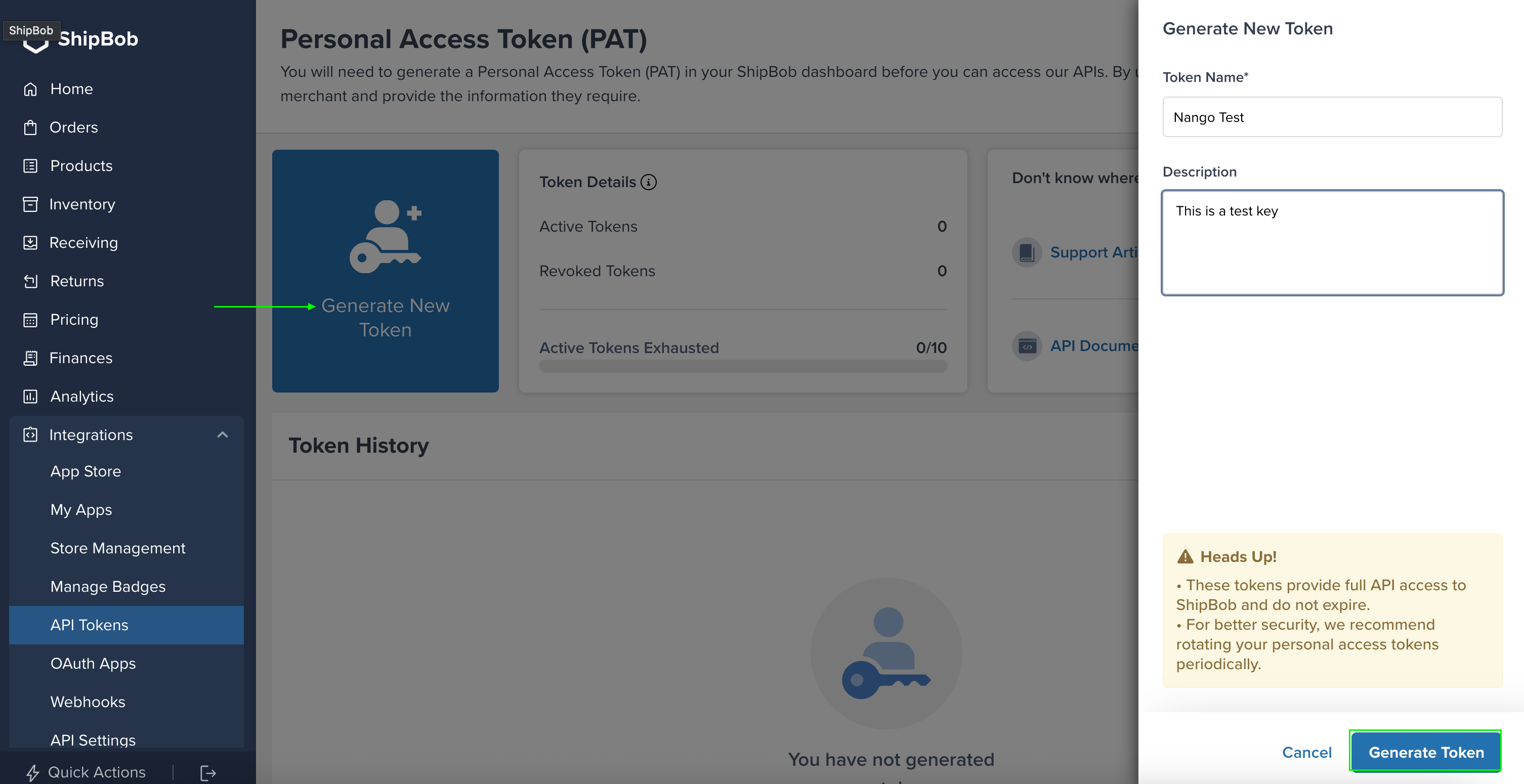 3. Enter a token name and description, then click **Generate Token**.
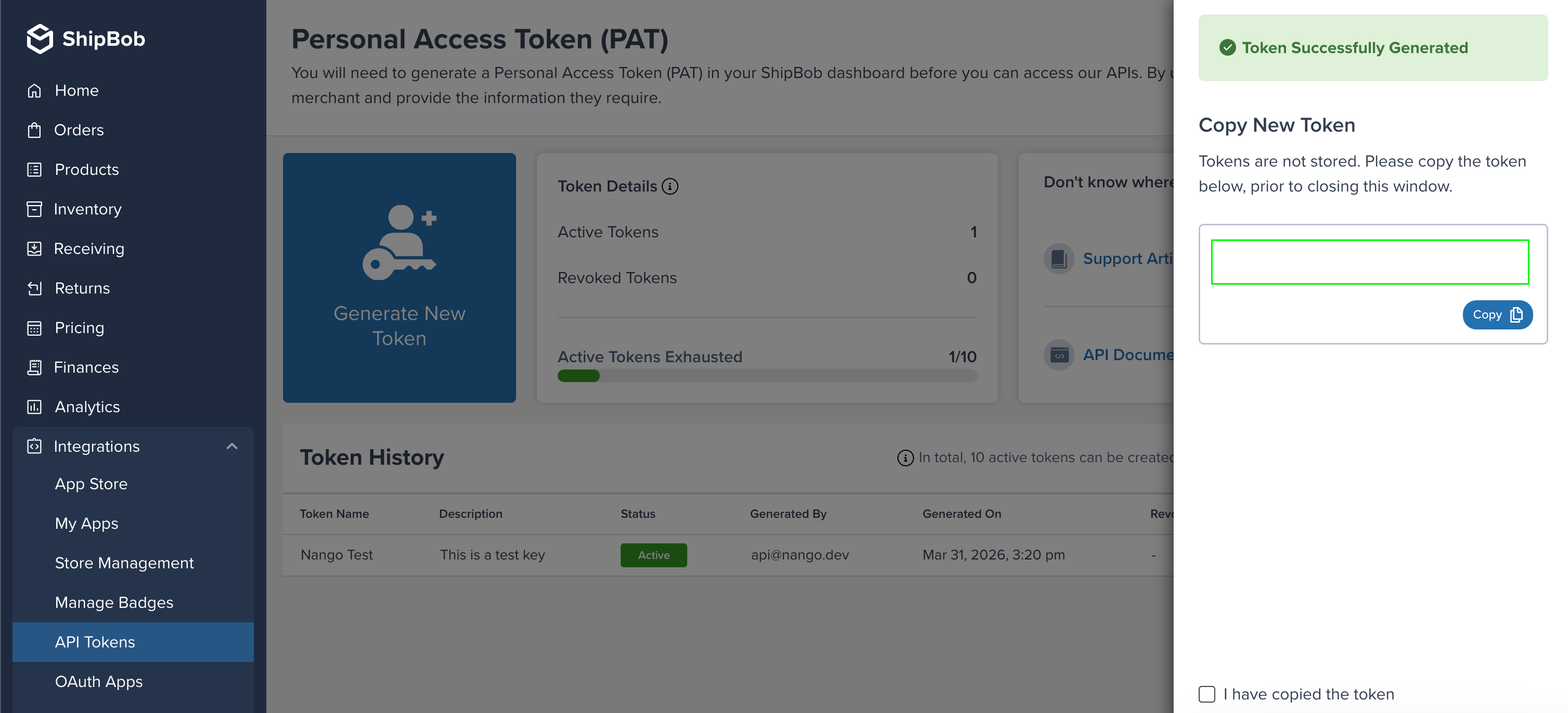
4. Your Personal Access Token will be generated.
3. Enter a token name and description, then click **Generate Token**.
4. Your Personal Access Token will be generated.
 #### Step 2: Identify your API subdomain
ShipBob uses different subdomains depending on the environment:
| Environment | Subdomain |
| ----------- | ------------- |
| Production | `api` |
| Sandbox | `sandbox-api` |
#### Step 3: Enter your credentials in the Connect UI
Once you have your **Personal Access Token**:
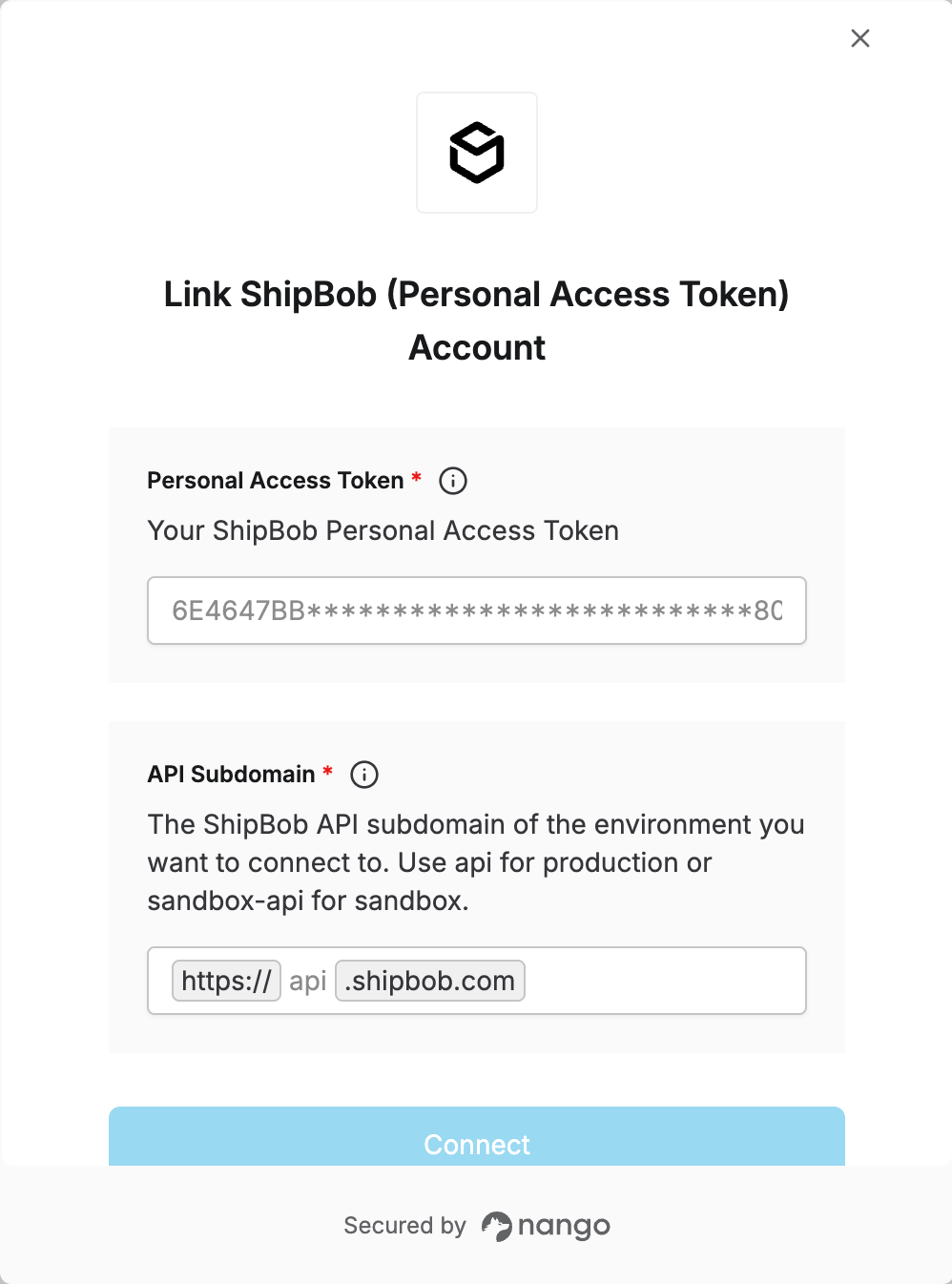
1. Open the form where you need to authenticate with ShipBob (Personal Access Token).
2. Enter your **Personal Access Token** and **API Subdomain** in their respective fields.
3. Submit the form, and you should be successfully authenticated.
#### Step 2: Identify your API subdomain
ShipBob uses different subdomains depending on the environment:
| Environment | Subdomain |
| ----------- | ------------- |
| Production | `api` |
| Sandbox | `sandbox-api` |
#### Step 3: Enter your credentials in the Connect UI
Once you have your **Personal Access Token**:
1. Open the form where you need to authenticate with ShipBob (Personal Access Token).
2. Enter your **Personal Access Token** and **API Subdomain** in their respective fields.
3. Submit the form, and you should be successfully authenticated.
 You are now connected to ShipBob.